 Happy Life Games
How to Solve Block Fill Puzzles: Rules, Strategy and Tips
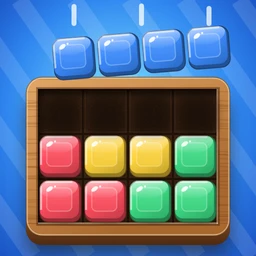
Block Fill gives you an empty carved slot in a wooden tray and a handful of colored blocks sitting on the table below it. Every block has to go in, nothing can stick out, and no gap can be left over. It sounds like a jigsaw, but there is no picture to guide you, only the outline of the slot and the shapes of the pieces.
What makes it satisfying is the click of certainty when you finally see why a piece can only live in one place. Most levels have very few valid arrangements, often just one, and several placements that look right but quietly make the rest of the board impossible. This guide explains how to spot those traps before you fall into them.
How to play
The rules are short:
- Drag a block from the table up onto the tray. While you drag, a faint outline shows where it will land if it fits.
- Let go to drop it. It snaps into the grid if every one of its squares lands on an empty part of the slot. If it would overlap another block, a wooden peg or the edge of the slot, the tray shakes and the block slides back to the table.
- Blocks do not rotate. Each piece keeps the orientation it has on the table, so an L that points right will always point right. This is a big help, because it cuts down the number of places a piece can go.
- You can pick a placed block up again and move it somewhere else on the board, or drag it off the tray to send it back to the table.
- Fill every square of the slot to win.
The buttons help when you are stuck. Undo takes back your last placement and costs nothing, so use it freely. Hint shows the next move: a hand drags a block to its correct spot, or, if a block you already placed is making the puzzle unsolvable, it points at that block and shows it going back to the table. There is also a skip button if a level really isn't clicking. When the board can no longer be completed, the game tells you with a small "Stuck? Undo or hint" message, which is your cue to back up rather than keep forcing pieces in.
Beginner strategy
Early levels are small (the first one is a 2 by 2 square and two dominoes), so you can solve them by trial and error. Use them to build habits that will matter once the tray grows.
- Count before you place. Look at the whole tray and the whole table first. Which piece is the biggest? Which one has the strangest shape? Those pieces have the fewest legal spots.
- Start in a corner or a narrow strip. A corner square can only be covered by a block that has a square in the matching corner of its own shape. A one-square-wide strip can only take a straight piece or the end of an L. Often only one block on the table qualifies.
- Place the awkward piece next. Small squares and dominoes are flexible. Save them for the end, when they can plug whatever holes are left.
- Check what you leave behind. After each drop, look at the empty area that remains. If it has an isolated pocket of two squares and you have no domino left, the last move was wrong.
Advanced techniques
Count the leftover regions
Whenever a placement splits the empty part of the slot into separate regions, each region must be filled exactly by the remaining blocks. Add up the squares in a region and compare it to the sizes of the pieces you still hold. If a region has 5 squares and your remaining pieces are sizes 3, 3 and 4, no combination makes 5, so the placement is a dead end. This one check catches most mistakes before you make the next move.
Read the notches and pegs
From level 4 the outline gets notches carved out of its edges, and from level 7 wooden pegs start appearing inside the slot. Pegs are the most useful clue on the board. A peg in the middle of an area means every square around it must be covered by a block that wraps around it or ends against it. Look at the four neighbors of each peg and ask which of your pieces could reach them without overlapping the peg. Notches do the same thing at the edges: a lone square jutting out between two notches usually belongs to the tip of one specific piece.
Distrust the obvious first move
From level 3 onward, the levels are chosen so that the most natural opening, dropping the biggest block into the first spot it fits, is usually wrong. If a big block slides neatly into the top-left corner, pause and ask whether it could also fit somewhere else. Try placing it in its second-best spot and see whether the rest of the board becomes easier. Since undo is free, testing both options is cheap.
Work from both ends
On larger trays, place a piece in the most constrained corner, then jump to the opposite corner and do the same. Filling inward from two sides keeps the empty space in one connected region for longer, and the final gap in the middle tells you exactly which shape is still needed.
Common mistakes
- Filling the easy middle first. Open areas accept many pieces, so placing there tells you little. The edges and pegs are where the real decisions are.
- Using small pieces too early. A single square or a domino dropped into a convenient spot often leaves a hole that only it could have filled later.
- Ignoring the stuck message. When the game says you are stuck, the problem is usually one of your earliest placements, not the last one. Undo several steps, or let the hint tell you which block to take back.
- Dropping just outside the grid. If a block lands a little off and bounces back, it may not be the wrong spot. Try again more slowly and watch for the outline preview.
What changes in later levels
The first ten levels ramp up gently, from two pieces on a tiny square to five pieces on a 5 by 5 tray with notches and a peg. After that the tray grows toward 7 by 8, the number of blocks climbs to as many as ten, and each level gets its own mix of notches and pegs. Difficulty follows a sawtooth: every tenth level is a peak with an extra piece and a taller board, and the level right after it is a lighter one so you can catch your breath. On the big boards, the region-counting and peg-reading habits above stop being optional.
FAQ
Can I rotate or flip the blocks?
No. Every block keeps the orientation it has on the table. If a shape seems to need a turn to fit, it belongs somewhere else.
Is there only one solution?
Levels are picked to have as few solutions as possible, and most have exactly one. When the hint shows a placement, it is a move that still leads to a complete fill from where you are now.
Does undo or hint cost anything?
Undo is free and unlimited within a level. The hint shows the next move, or which block to remove if your current layout cannot be finished.
How do I move a block I already placed?
Drag it from the tray to a new spot. If you drop it off the tray, it returns to the table.