 Happy Life Games
Brain Teaser Guide: How to Think Through Trick Questions
Every level of Brain Teaser is a single short question, such as "Tap the biggest number", "Find the mouse" or "Make the 6 a 9", above a little scene of cartoon objects. Some questions mean exactly what they say. Many don't. The fun is in that moment when you realize the answer was never where you were looking.
Unlike most puzzles on this site, there's no board to plan and no sequence of moves to optimize. What you need is a habit of reading carefully and questioning your first instinct. This guide is about building that habit, with a few examples from the early levels.
How it works
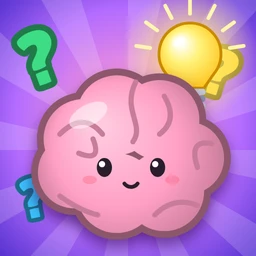
A cartoon brain mascot sits next to the question card and reacts to everything you do. The answer can take several forms, and part of each puzzle is figuring out which one is wanted:
- Tap an object in the scene, sometimes several times in a row.
- Tap all of something, like every balloon or every yellow item.
- Tap things in order, for example from smallest to biggest.
- Drag an object onto another one, or off to the side to see what's behind it.
- Tap a word in the question itself. The question card is part of the puzzle.
- Type a number on the keypad, which appears for counting and math questions, then press OK. The backspace key deletes a digit.
A wrong answer gets a cheeky "Nope!" or "Nice try!" and a wobble. That's all. There's no timer, no lives and no game over, so experimenting is free. When you solve it, you get a rating: GENIUS! with three stars for a clean solve without the hint, SMART! or GOT IT! with fewer. Stars are just for pride. Any solve moves you on.
The kinds of tricks
The game has a small set of trick types, and recognizing them is half the battle. They're also what the free nudges refer to.
Look closely
One item is slightly different: a green apple among red ones, a chick facing the other way, a heart in a lighter pink. Before tapping the obvious target, scan every object once.
Something is hiding
The answer is behind something. "Find the mouse" with only a big cat in view means the cat can probably be moved. If a count looks too easy, or something you were asked for isn't visible, try dragging the larger objects aside.
Real life, not the picture
"Which animal is the biggest in real life?" isn't asking which drawing is biggest. When a question mentions real life, or asks about weight, temperature or what something can do, ignore the sizes on screen and think about the actual things.
Turn it
Some objects respond to taps by rotating or flipping. A 6 turned upside down is a 9. An arrow may need three quarter-turns to point up. If tapping something once does nothing obvious, try again.
There's a rule
Math questions are designed so that working left to right gives the wrong answer. "What is 2 + 2 × 2?" follows the usual order of operations, so multiply first. Look out for "half of", minus signs and negative numbers as well.
Read the question again
These are the sneakiest. "Tap the longest word" might mean a word printed in the question, not a long object. "Tap the red ball" with no red ball in sight might mean the word printed in red. If nothing in the scene fits, the answer may be on the question card.
Riddles, order and "pick one"
Classic riddles, such as how many months have 28 days, reward reading the wording literally. "Order" puzzles want several taps in a specific sequence. "Pick" puzzles show several plausible options where only one fits.
A method for any level
- Read the question word by word. Words like real, all, NOT, second and word usually carry the trick.
- Look at every object before acting, including small or partly covered ones.
- Ask what kind of answer is expected. A count needs the keypad, "Feed the cat" needs a drag, and a question with no matching object points back to the text.
- Try the literal reading first, then the sneaky one. If the obvious answer gets a "Nope!", it was probably the decoy, so rule it out and look for the twist.
Nudges and hints
From level 3, the game helps you for free when you're stuck. After two wrong tries, or about 12 seconds without doing anything, the brain mascot shows a speech bubble naming the kind of trick, without giving the answer. Examples are "Something may be hiding… try moving things!" and "Think about REAL life, not the picture!". Another nudge appears every three more misses. Read these carefully, because they map directly onto the trick types above.
The hint button goes further. It shows the answer in a yellow banner and points to it with an arrow or a hand, including the key to press or the word to tap. Using it means that level won't be a three-star GENIUS solve, but the level still counts.
Common mistakes
- Answering the picture instead of the question. Most of the tricks depend on this.
- Tapping once and giving up on an object. Some need repeated taps to wake up, turn or flip.
- Forgetting objects can move. Clouds, boxes, trees and animals can often be dragged.
- Rushing the math. Work it through in the proper order before you type.
What changes in later levels
The first two levels are plain warm-ups with a guiding hand. After that, each early level introduces a different trick type, so you meet most of them within the first ten. Later levels mix them up, with every tenth level a tougher trick and the level after it gentler. Once you've been through the whole set, the puzzles return with mirrored layouts and new board colors. By then you know the answers, so it's a chance to go for three stars everywhere.
FAQ
Is there a penalty for wrong answers?
Only to your star rating. You can try as many times as you like.
Why does nothing happen when I drag an object?
Only some objects are draggable, and a drag only counts when it lands on the right target or moves the right object out of the way. Drop it on the wrong object and it bounces back with a "Nope!". Drop it in empty space and it simply stays there.
I'm stuck and the nudge didn't help. What now?
Reread the question out loud, then use the hint. Our article on getting unstuck in puzzle games has more general advice. For a puzzle that rewards the same close looking, try Find The Difference.