 Happy Life Games
Find The Difference: How to Spot Every Change Faster
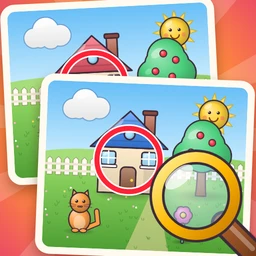
Spot-the-difference puzzles have been a fixture of newspaper puzzle pages and children's activity books for generations, and the appeal hasn't changed: two pictures that look identical, a handful of small changes hidden between them, and the little jolt of satisfaction when your eye finally catches one. Our Find The Difference puts two cheerful illustrated scenes on screen, one above the other, and asks you to tap every place where they don't match.
Good players aren't just people with sharp eyes. They scan in a system, know what kinds of changes to expect, and don't get fooled by objects that only look out of place. All three are skills you can learn, and this guide covers each one.
How to play
- Compare the top and bottom pictures. They show the same scene, a garden, a living room, a beach or a city street, with a few changes.
- Tap a difference in either picture. A red ring appears around the spot in both pictures, and one of the dots in the progress row at the top turns green.
- The title row tells you how many differences to find. Find them all to finish the level.
- Tapping a spot that isn't a difference counts as a mistake and leaves a red X.
How mistakes count depends on the level. In levels 3 to 10 there is an optional three-star score: you start with three stars and lose one per mistake, but you always pass. In those early levels, a tap that lands just beside a real difference only shows "So close!" and doesn't count against you. From level 11 you have three hearts instead, every miss costs one, and the third mistake ends the level.
The hint button circles one remaining difference with a pulsing yellow ring and names the kind of change, such as "Bigger or smaller?" or "Mirrored!" That label is worth reading, because it teaches you what to look for next time. There is no undo in this game, since a tap can't be taken back, but there is a skip button.
The seven kinds of change
Every difference falls into one of a few types. Knowing the list turns vague searching into a checklist.
| Type | What it looks like |
|---|---|
| Missing | An object in one picture is gone in the other. |
| Extra | One picture has an added object, like a bird, ball or crab. |
| Color | Same object, different color. |
| Size | An object is noticeably bigger or smaller. |
| Mirrored | An object faces the other way, such as a cat or a car turned around. |
| Small detail | A part of an object appears or disappears. |
| Windows and clocks | A single lit window on a building, or the hands on a clock. |
Missing and extra objects are easiest to catch by counting. Color and size changes jump out when you compare one object at a time. Mirrored objects and small details are the ones people miss, because the overall shape is still there.
Beginner strategy
- Divide the picture into bands. Every scene is built in layers: sky at the top, a middle layer like houses, boats or buildings, and a busy foreground. Compare one band at a time instead of letting your eyes wander.
- Go object by object. Within a band, look at a single object in the top picture, then find it in the bottom picture and check its color, size and direction. Then move on to the next one.
- Count things. Count the flowers, clouds, birds or crabs in each picture. If the numbers don't match, you've found a missing or extra object even before you see which one.
- Tap the center of the object. The tap zone is generous, but aiming at the middle of the changed thing is the safest habit.
Advanced techniques
Watch for look-alike traps
Starting at level 7, scenes can contain a decoy: an object that looks odd compared with its neighbors, like one plant a different color from the others or one cat facing the wrong way. It looks like a difference, but it is the same in both pictures. If you tap it, a dashed blue ring circles it in both pictures with the message "Same in both pictures!" The lesson is simple: an object that stands out within one picture isn't a difference. Only a mismatch between the two pictures counts. In levels up to 10, your first decoy tap is forgiven. After that, it costs a mistake like any other miss.
Check the tiny details last
From level 8, city buildings and room clocks can hide the smallest changes of all: one window that is lit in one picture but dark in the other, or clock hands pointing to a different time. Save these for the end. Once the obvious changes are found, go window by window across each building, row by row.
Use the flip test
For animals, cars, boats and anything else with a clear front and back, ask "which way is it facing?" in both pictures. It is a quick yes or no that catches mirrored objects, which are otherwise easy to miss.
Build a combo, but don't rush
Finding differences within a few seconds of each other triggers a combo message. It's a fun bonus, but on heart levels a wrong tap made in a hurry costs far more than a few seconds of careful looking.
Common mistakes
- Tapping things that just look strange. Confirm the mismatch in the other picture before you tap.
- Scanning everything at once. Eyes drift to the most colorful parts of a scene. Go band by band so the quiet corners get checked too.
- Forgetting the sky. Clouds, birds and the sun can be missing, extra or recolored too.
- Re-tapping found spots. Circled spots are already counted. Tapping them again does nothing, so move on.
What changes in later levels
The first ten levels introduce one new kind of change at a time, with a "NEW" banner naming it: missing objects first, then color, size, mirrored, extra, small details, decoys and finally windows and clocks. Level 10 is a boss scene with six differences. From level 11, hearts replace stars, all types can appear together, and each scene holds five to eight differences, often with one or two decoys. Every tenth level is a boss with extra differences, and the level after it is a bit easier.
FAQ
Can I tap either picture?
Yes. A correct tap in the top or bottom picture counts, and the ring appears on both.
What happens if I run out of hearts?
From level 11, a third mistake ends the level with "Too many mistakes!" and you can try it again.
Do stars matter?
No. The three-star score in levels 3 to 10 is just for fun. You pass the level whether you finish with one star or three.
Why didn't my tap count?
Either it was a decoy that is the same in both pictures, or it landed a little too far from the actual change. Aim for the middle of the object that differs.