 Happy Life Games
Color By Number Guide: Fast Painting and Solving the ? Cells
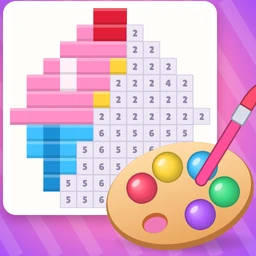
Color By Number gives you a grid of small squares, each marked with a number, and a palette of numbered paints. Fill every square with its matching color and a pixel-art picture appears: a heart, an apple, a cupcake, a little owl. It's one of the calmest puzzles on the site. There's no timer and no way to lose.
From level 3, though, a few squares hide their number behind a question mark, and those turn a relaxing coloring page into a small logic puzzle. This guide covers both halves: painting quickly and cleanly, and solving the mystery cells without losing stars.
How to play
- Pick a color by tapping a numbered paint swatch at the bottom. Every square with that number lights up on the grid so you can spot them easily.
- Tap a square to fill it, or drag across the grid to paint many at once. A drag only fills squares that match your selected number and skips everything else, so you can sweep freely.
- Tapping a square with a different number makes it flash red and highlights the swatch it needs. There's no penalty.
The small badge on each swatch shows how many squares of that color are still empty. When a color is finished, it celebrates and the next unfinished color is selected for you. The progress bar at the top fills as you go, and the picture's name is shown above it. Finish every square to complete the level.
Colors are numbered by how much of the picture they cover: 1 is always the biggest area, 2 the next, and so on. That's handy for planning, as you'll see below.
Painting efficiently
Nothing here is hard, but a little method makes it smoother and more satisfying:
- Start with color 1. It's the largest region and usually the main shape of the picture, so filling it first reveals what you're drawing.
- Paint in rows. Drag left to right across each row and let the game skip the wrong squares. Long sweeps are much faster than single taps.
- Finish small colors with taps. Outline colors and tiny details are easier to hit one at a time.
- Watch the badges. If a swatch still shows 1, there's a single square left somewhere. The selected color's squares are highlighted, so scan for the last pale one.
The ? cells
From level 3, some squares show a pink question mark instead of a number. The rule, shown on screen when they're introduced, is simple: a ? square is the same color as at least one of its neighbors, meaning the squares directly above, below, left or right of it. Diagonals don't count.
Three things make these cells different:
- A drag never fills a ? square. You have to select a color and tap it on purpose.
- A wrong guess shows "Not 3!" (or whichever number you picked) and costs a star. You start with three, and they never drop below one.
- Each level's ? cells have exactly one consistent answer, so there's always a way to work it out without guessing.
Step 1: List the candidates
Look at the four neighbors of a ? cell. Only colors that appear among them are possible. If all its neighbors are color 2, you're done: it's 2.
Step 2: Use the paint counts
This is the clever part. The badge on each swatch counts every unfilled square of that color, including the hidden ? squares. So paint all the numbered squares first. Afterward, any paint that still shows a count above zero must belong to ? cells.
Say a ? square touches two squares of color 1 and one square of color 4. Most players would guess 1. But if, after painting everything else, color 1 shows 0 left and color 4 shows 1 left, the answer is 4. The tip "Check how much paint is left!" appears on the levels where this matters.
Step 3: Watch out for traps
From level 5, at least one ? cell on most levels is deliberately a trap, where the color most of its neighbors share is the wrong answer. The counts always expose it, which is why it pays to finish the numbered squares before touching any question marks.
Step 4: Linked question marks
Level 11 introduces two ? cells sitting side by side, with the tip "? next to ? : solve one first." A ? can match a neighboring ? cell, so solve the one with more known neighbors first, then use it as a clue for the other.
Common mistakes
- Tapping ? cells too early. Until the numbered squares are done, the paint counts can't tell you anything.
- Counting diagonals. Only the four direct neighbors count.
- Going with the majority. On trap cells, the most common neighbor color is exactly the wrong guess.
What changes in later levels
Level 1 is a small two-color heart on an 8×8 grid. Grids then grow to 10×10, 12×12, 14×14 and beyond. Every tenth level is a bigger picture than the ones around it. From 16×16, pictures get a dark pixel-art outline color. From level 31, the largest area gets a shaded part in a slightly darker tone, adding another number to the palette. The number of ? cells and traps also rises slowly, with every tenth level having a few more and the level after it a few fewer. Once you've seen every picture, they come back with new color schemes and sometimes mirrored.
FAQ
What does the hint do?
While numbered squares remain, it selects a color that still has squares to fill and makes them glow. When only ? cells are left, it selects the correct color and marks one of the question marks for you, starting with one the paint counts can decide.
Can I fail a level?
No. Wrong taps on numbered squares cost nothing, and wrong ? guesses only lower your star rating.
Why didn't my drag fill a square?
Either it belongs to a different number or it's a ? cell, which only fills with a deliberate tap.
If you enjoy careful looking, try Find The Difference. For hands-on color blending, Color Mix has you mix the shades yourself.