 Happy Life Games
Jigsaw Puzzle Guide: Turned Pieces, Chains, Ice and Move Limits
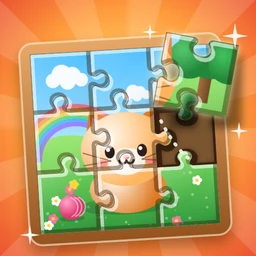
Few puzzles are as instantly familiar as a jigsaw. You have a picture cut into interlocking pieces with real tabs and blanks, a wooden board, and a felt tray full of shuffled pieces below it. Drag each piece to its spot and watch the picture come together, finishing with a shine sweeping across the completed image.
Our Jigsaw Puzzle starts as exactly that. As you progress, it adds a few twists that turn it from a pure picture-matching game into a puzzle about placement order.
How to play
- Drag a piece from the tray. It lifts, grows to full size and floats just above your finger so you can see where it's going.
- Drop it near its correct slot and it snaps into place. You don't have to be pixel-perfect, just close. As you drag near the right slot, its outline starts to glow faintly.
- Drop a piece in the wrong spot and it slides back to the tray. If you were nearly right, you'll see "So close!".
The level is complete when every piece is on the board. There's a hint button and a skip button, but no undo, because a placed piece is always correct and never needs taking back.
Reading the board
On the first levels, the board shows a faint "ghost" of the finished picture plus the outline of every slot, so you can match pieces almost directly. That ghost fades a little every level and is gone entirely by level 15. From level 4 there's also a small picture-box thumbnail in the corner of the tray, like the lid of a real jigsaw box. Once the ghost is gone, that thumbnail is your main reference.
Puzzles grow steadily: 4 pieces on level 1, 9 by level 3, 16 by level 9, and after level 10 the cuts go from 20 pieces up to 42. The pictures rotate through a cat, a beach, the ocean, a castle, outer space, cupcakes, balloons and a panda.
Beginner strategy
The classic jigsaw advice works here, adjusted for a board with visible slots:
- Corners first. A corner piece has two flat edges, so it can only go in one of four places.
- Then the edges. One flat side means the border. Building the frame gives you fixed reference points.
- Then strong features. A face, a window, a bright balloon. Distinctive details locate themselves.
- Leave plain areas for last. Sky and sea pieces are hard to tell apart, but by the end only a few slots remain.
Also look at the shape of the tabs. Each slot outline shows exactly where tabs stick out and where blanks go in, so a piece with tabs on the left and bottom can only fit a slot shaped the same way. For a deeper look at this kind of thinking, see our jigsaw puzzle strategies article.
Special pieces
Turned pieces (from level 3)
Some pieces sit in the tray rotated, marked with a small turn icon. Tap the piece, without dragging it, to rotate it a quarter turn clockwise. Keep tapping until it's upright and the icon disappears. A turned piece won't snap in until it's upright. If you try, you'll see "Tap it to turn it!".
Chained pieces (from level 5)
A chained piece wears a small chain badge and can only be placed once at least one of the pieces directly next to its slot (above, below, left or right) is already on the board. Place a neighbor first and the chain unlocks.
Frozen slots (from level 7)
Some slots on the board are covered in ice. The piece that belongs there bounces off until the ice is cracked, and you crack it by placing pieces in the neighboring slots. Each neighbor you place takes one layer off. From level 10, some ice needs two hits. A counter at the top shows how many ice slots you've cleared.
Advanced technique: plan the order
Once chains and ice appear together, the question isn't just where each piece goes but when it can go. Levels are designed so that only a few pieces can be placed at the start, and the obvious grab is often blocked.
A reliable routine:
- Before placing anything, find the frozen slots and the chained pieces.
- Look for free pieces whose slots sit next to ice. Placing those cracks ice and unlocks chains at the same time.
- Spread outward from the pieces you've placed, since every new piece is a neighbor that can free a chain.
- Save the pieces that belong in frozen slots until their ice is fully gone.
Move limits (from level 11)
Starting at level 11, a MOVES counter appears. You get the number of pieces plus a few spare moves. Each successful placement uses one move, and so does each misdrop: dropping a piece on the board in the wrong place, or trying to place a piece that's still turned, chained or frozen. Dropping a piece back onto the tray costs nothing, and neither does tapping to rotate. If you run out before the picture is done, the level ends with "Out of moves!".
That changes how you play. Rotate pieces in the tray before you drag them. Only drop on the board when you're confident. If you're unsure, set the piece back down in the tray and look again.
Common mistakes
- Dragging a turned piece to the board. It always bounces, and from level 11 it costs a move.
- Grabbing a chained piece too early. Check whether any neighbor slot is filled first.
- Testing spots by dropping. With a move limit, guessing burns your spare moves fast. Compare tab shapes instead.
FAQ
What does the hint do?
It picks a piece you can place right now, preferring one that cracks ice or frees a chained piece, then makes its slot glow and shows a hand dragging it there. If that piece is turned, it tells you to tap it first.
Why won't a piece snap even though it's in the right place?
It's turned, chained or frozen. The message that pops up tells you which.
Is there a time limit?
No. Even on move-limited levels, you can study the board as long as you like.
For another picture puzzle with a twist, try Paper Fold, or relax with Color By Number.